Inspection Module UI/UX Enhancements
We have launched a redesigned web version of Inspection Projects that gives your teams faster insight, clearer structure, and a more intuitive workflow. The updated interface makes it easier to review findings, track actions, and complete inspections with confidence.
What’s New
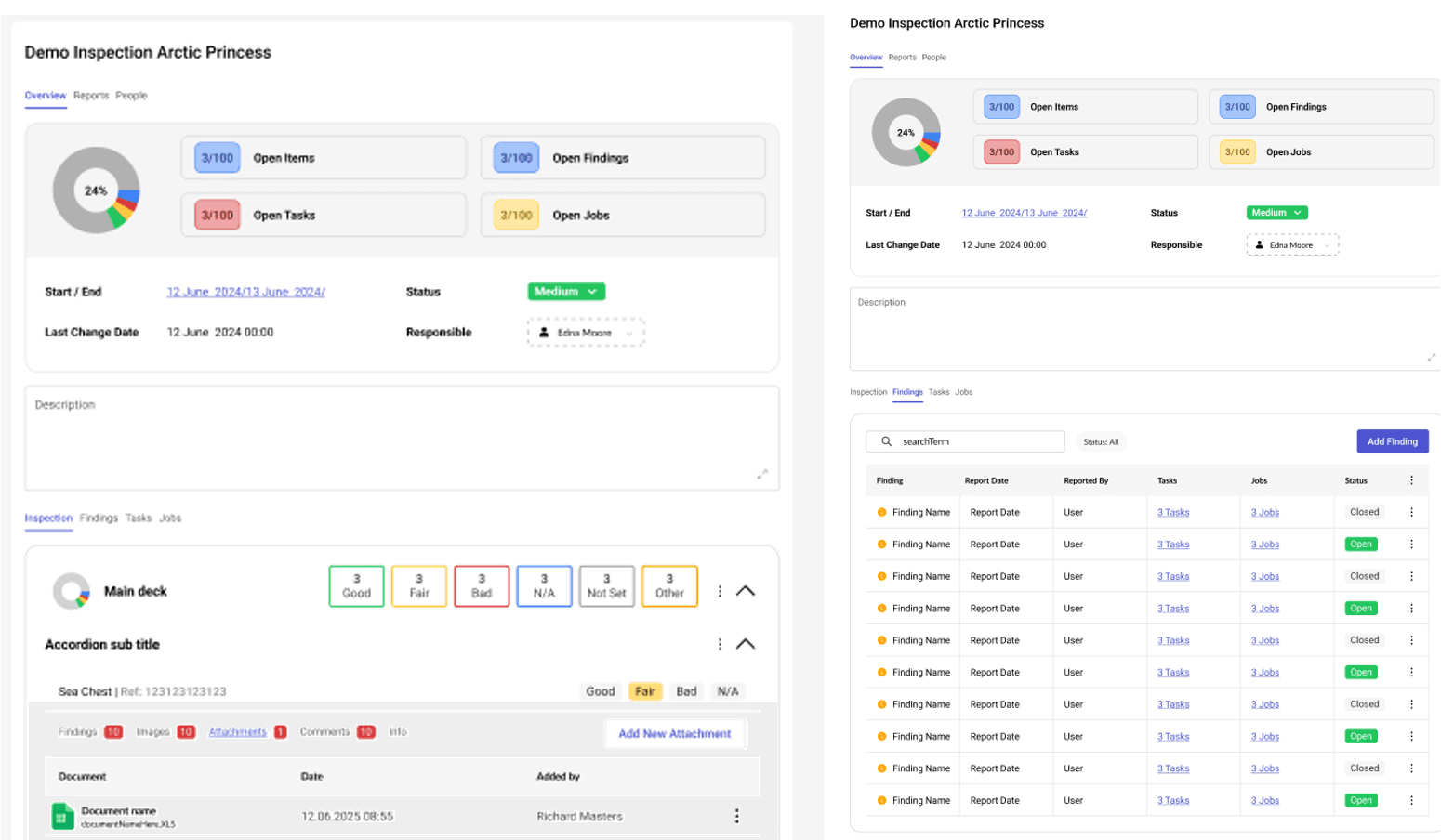
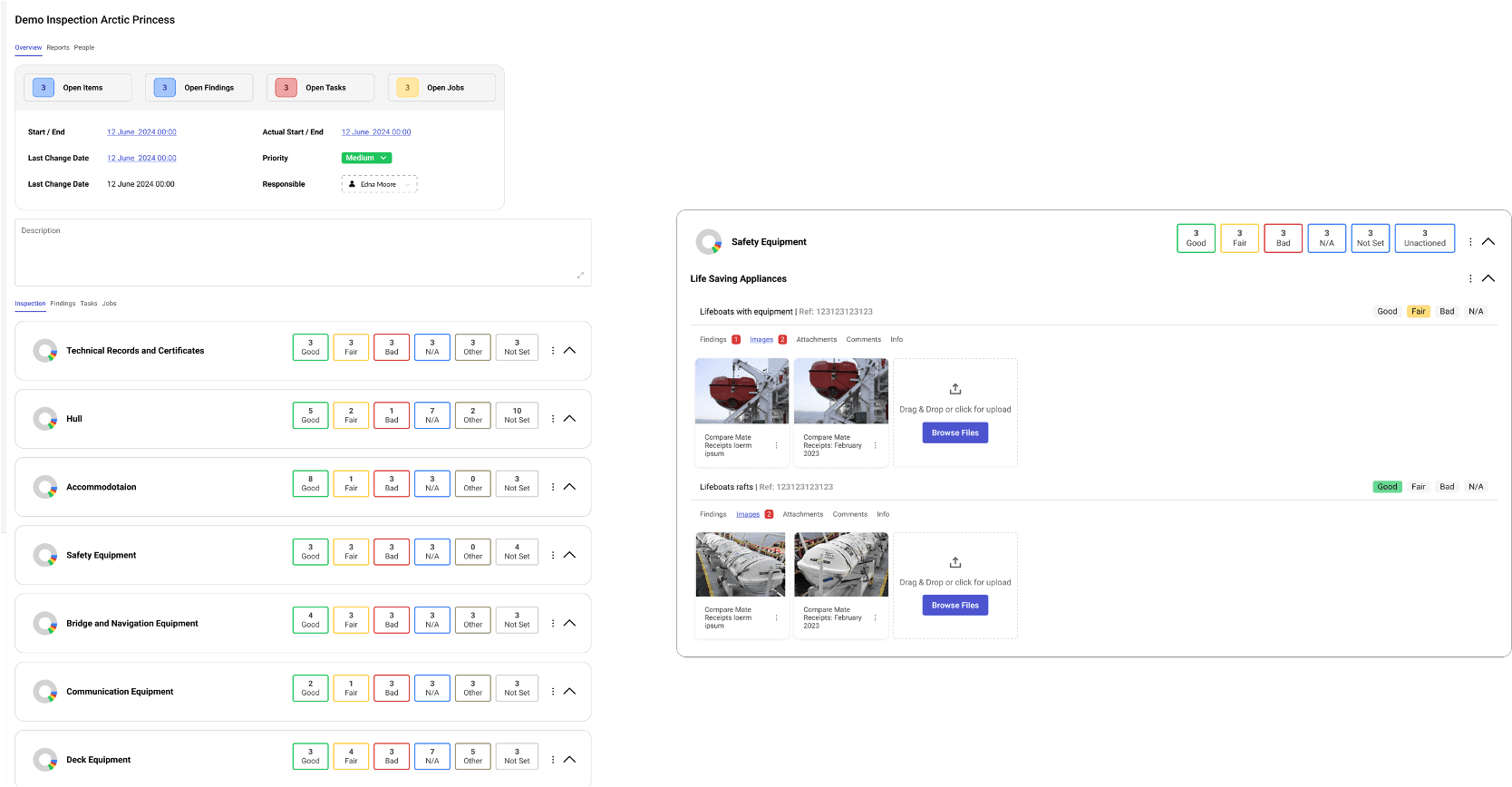
Instant project overview
A new summary view highlights key information at a glance so you can understand project status immediately.
Improved list view
A cleaner, modern layout for all inspection items makes navigation easier and reduces scrolling.
Smarter navigation
Easily expand or collapse sections to focus on the areas that matter most.
Clear separation of information
Findings, actions, and images now sit in dedicated tabs for better clarity and faster access.
Powerful filtering tools
Filter inspection items by condition and filter findings and actions by status to locate priority items quickly.
Support for multiple inspection item types
Set up inspections with greater flexibility using new item formats:
• Condition (Yes / No / Bad / N/A)
• Answer (Yes / No)
• Text input field
• Checkbox
Upgraded Inspection Reports
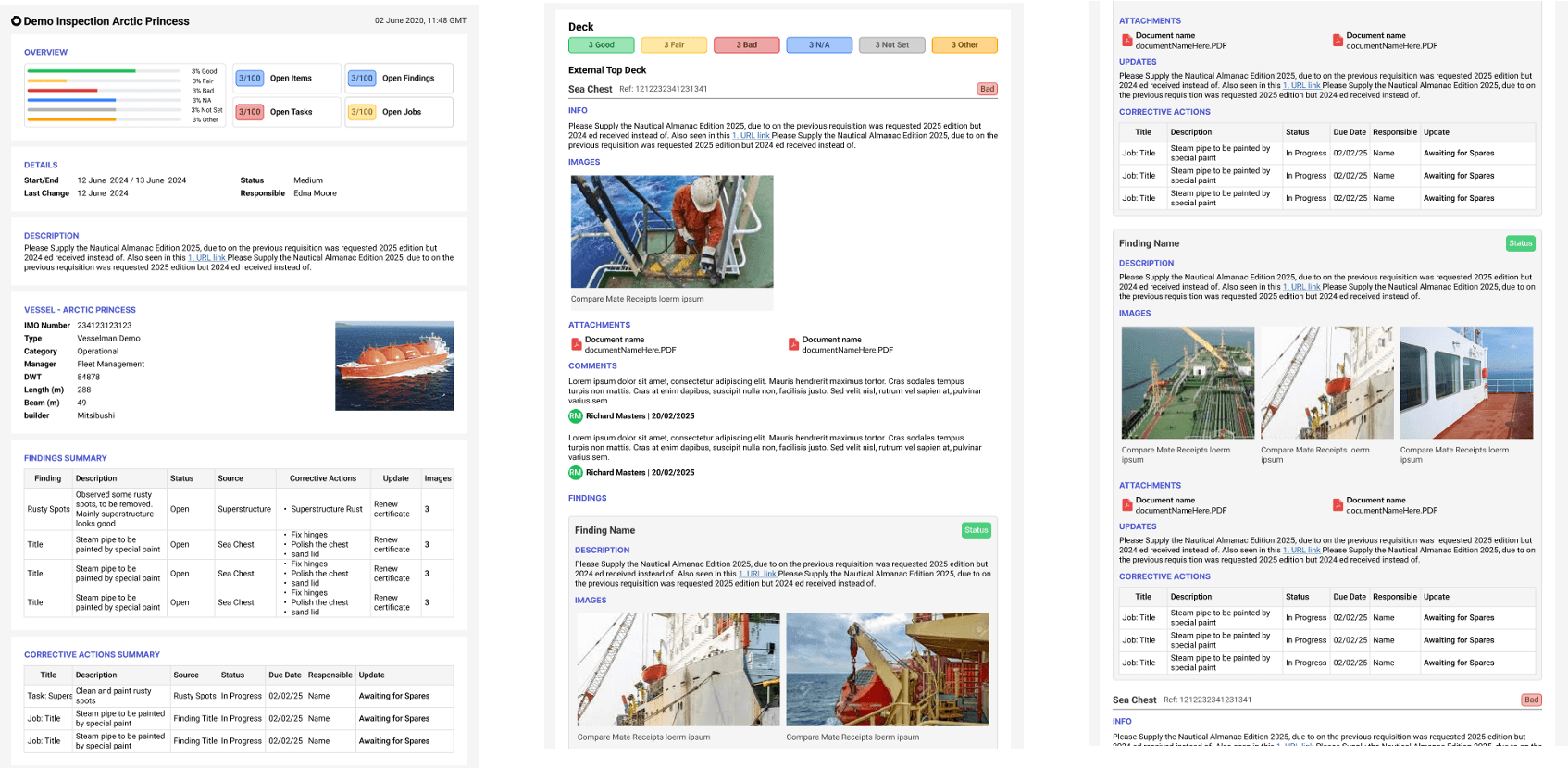
Inspection reports have been completely redesigned to give you clearer, more actionable insights, whether you are reviewing onboard or ashore.
Full PDF report redesign
A modernised layout improves readability and makes it easier to navigate complex inspections.
Better presentation of inspection details
Inspection items, related images, comments, findings, and corrective actions are now displayed in a more structured and intuitive format.
New report summary sections for quick analysis
• Overall Project Summary – A high-level view of project scope and status.
• Findings Summary – A consolidated overview of all findings, grouped for faster review.
• Corrective Actions Summary – A clear snapshot of outstanding actions, helping teams prioritise and close gaps efficiently.