
Terminal Selection
You can now select a terminal and/or berth when editing port call information on the Calculations page while making adjustments to a claim. This enhancement provides greater flexibility when updating port call details. Please note that these fields are optional and not mandatory to fill in to proceed with the adjustment.

Notification to First-Tier Approver when Second-Tier Approver has approved the calculation
After approval by the second-tier approver, the system automatically notifies the first-tier approver via email and in-app. This keeps stakeholders informed of the approval, serving as a reference for tracking and record purposes.
This may be customised based on your notifications setting for “Approved by 2nd tier”:

Double Approval
You now have the option to enable double approvals for your calculations. This feature allows for cross-approval within a two-tier approval process, ensuring that all changes are reviewed by both levels of approvers.
When this option is enabled, if a second-tier approver makes any modifications to a calculation, the first-tier approver will be prompted to review and approve the calculation again before it can be finalized.
Second-Tier Approver View:


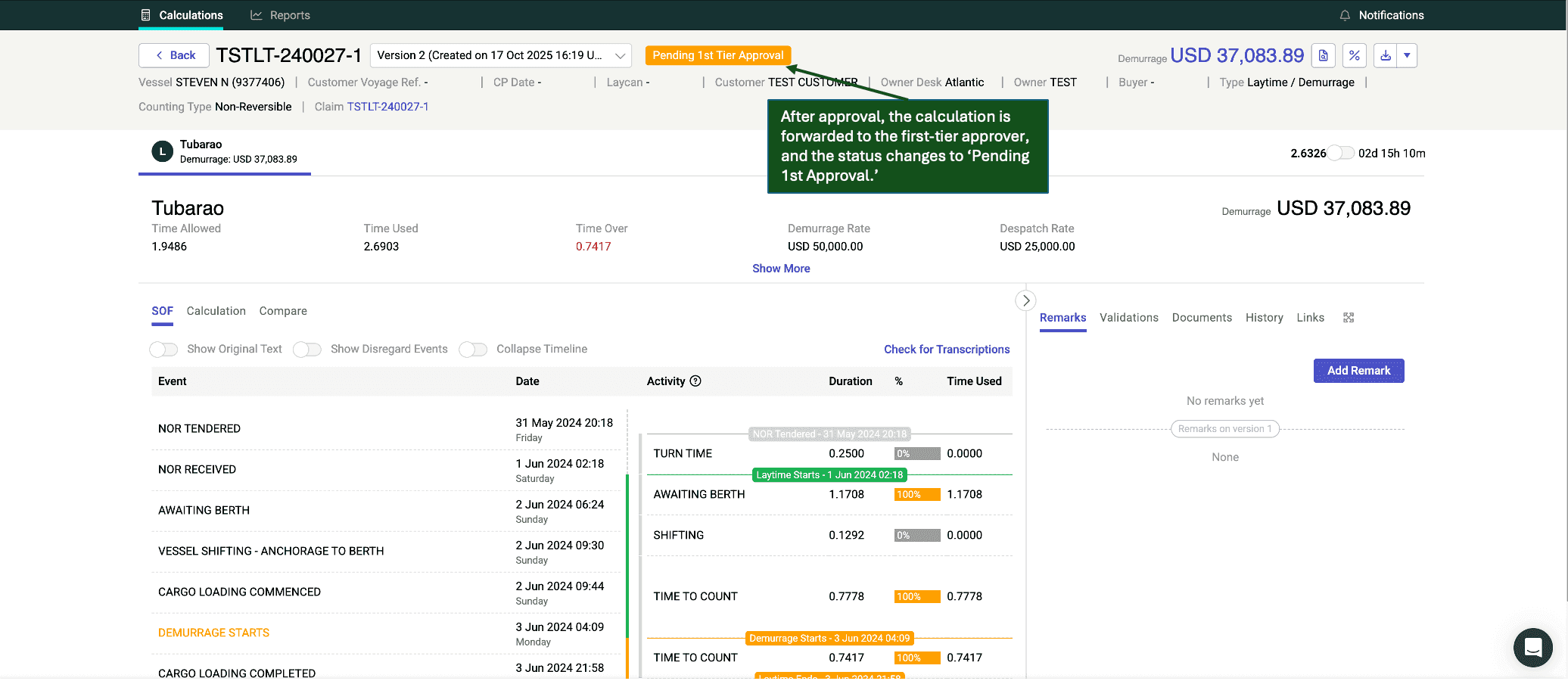
First-Tier Approver View:


If you would like to enable the Double Approval feature or want to learn more, please reach out to your dedicated Customer Success Manager or email us at support@claimshub.ai.


