
Download PDF Button
You can choose the format they like to generate the PDF

By selecting “Custom View”, users get additional options to customize the conciseness and time format of the PDF:

Duration/Time values displayed in the PDF
The selected view for value to be displayed in the system, decimals or day/hour/minutes, will be displayed in the PDF

Laytime Only Toggle
A new “Laytime Only” toggle, which can be found under “Calculations” tab, allows you to see laytime events that are between Laytime Start and Laytime Ends or all laytime events that are between or before Laytime Starts and after Laytime Ends

Rearranged field under voyage summary section
For easier viewing, Vessel Name and Voyage Number had been moved to the start of the page

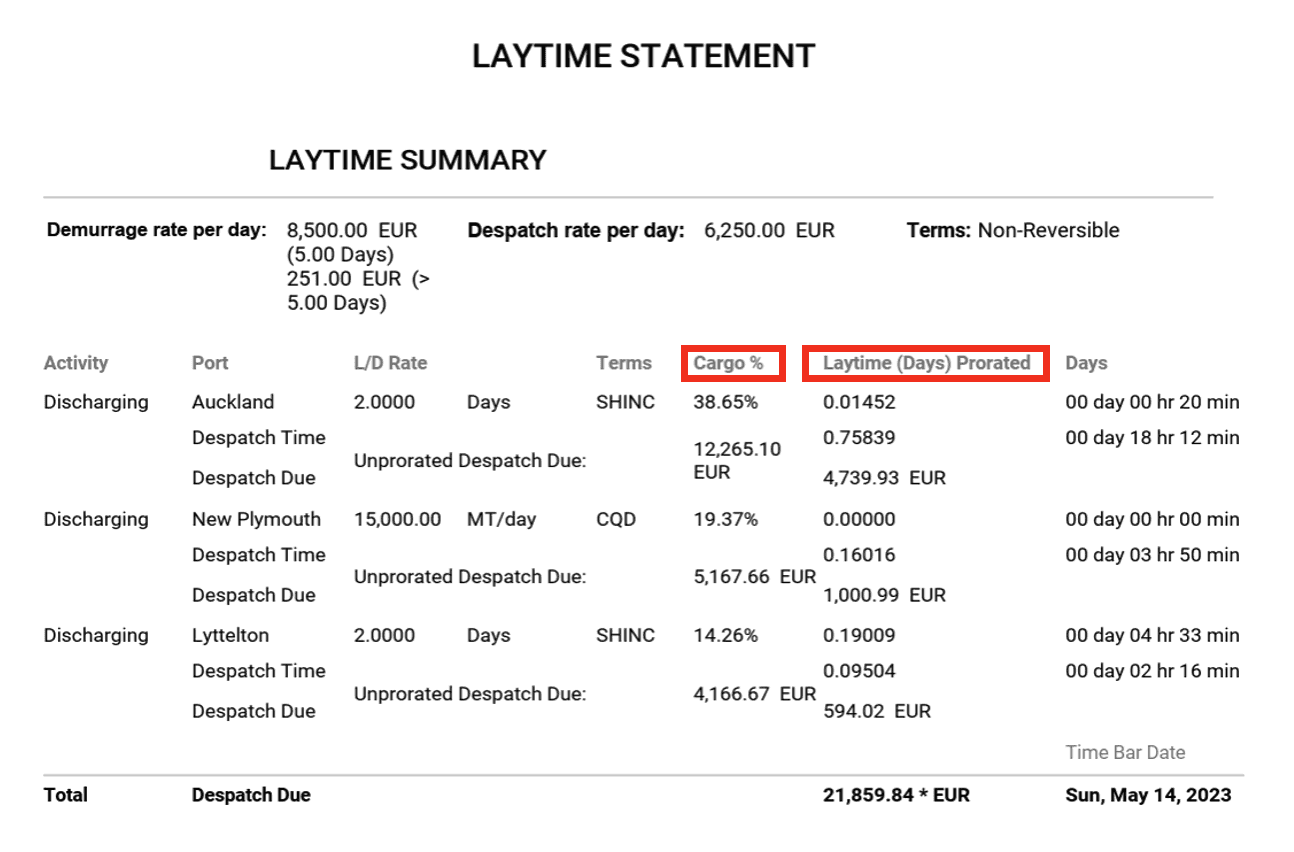
Pro-rated quantities in PDF
You will now be able to see the pro-rated quantities in Metric Tonnes in the PDF
Should you have any questions, please feel free to reach out to our team via the live chat or via support@claimshub.ai.


