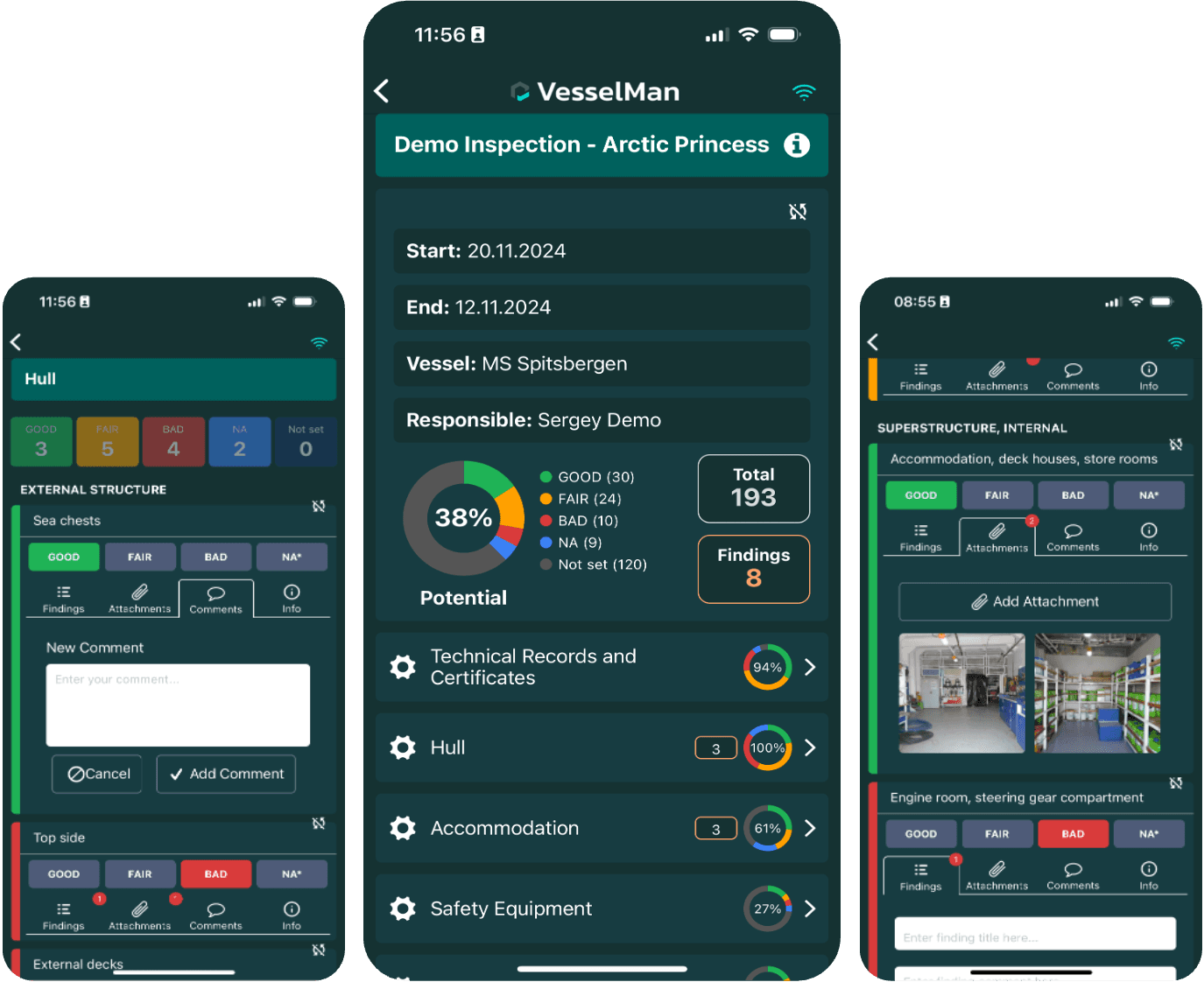
New Mobile Inspection UI for More Intuitive, and Faster Vessel Inspections
We have released a redesigned mobile inspection experience in VesselMan to help crews and technical teams complete inspections faster, capture better data, and move seamlessly from findings to corrective action.
The new UI is structured, offline-ready, and designed to turn inspections into clear, actionable outcomes.

Clear structure at every level
Inspections are displayed in a clean, hierarchical layout:
Sections are easy to scan
Activities are grouped logically
Individual inspection items are clearly separated and easy to complete
Progress indicators show completion by section, giving instant visibility into inspection status without leaving the screen.

Task types that match how inspectors think
Each inspection item is rendered using a UI component designed for its purpose:
Condition selectors (Good, Fair, Bad, N/A)
Yes / No toggles
Checklists
Free-text fields
This removes ambiguity, standardises reporting, and makes data entry fast and intuitive.

Findings and evidence captured visually
From any inspection item, users can instantly:
Add a finding
Attach photos
Upload documents
Add comments
All supporting information is visible directly within the inspection flow, eliminating the need to switch tools or re-enter data later.